Run executable
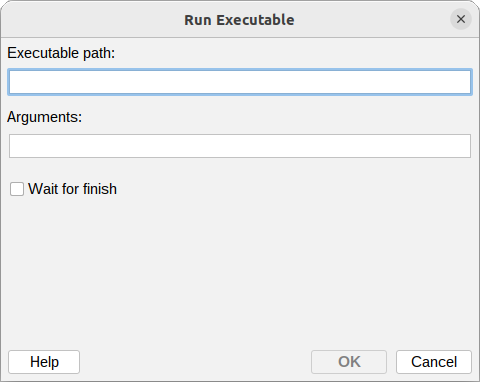
The Run executable action lets you run an external program or script on the milter host when a policy rule matches. You can pass message details to the program as arguments, and choose whether the rule waits for the program to finish or runs it in the background.
Executable path
The absolute path to the program or script to run.
Example:
/opt/msh/scripts/notify.sh
Arguments
The arguments passed to the executable, separated by spaces.
Example:
--subject={message:subject} --from={message:envelope:sender}
Variables can be used in the Arguments field, so message details are resolved for each message before the program is run. A variable that resolves to a value containing spaces is passed as a single argument, so joining it to a flag with = (for example --subject={message:subject}) keeps the flag and its value together.
Wait for finish
When enabled, the rule waits for the program to finish before continuing (synchronous). When disabled, the program is started in the background and rule processing continues immediately (asynchronous).
The program runs on the milter host with the milter's permissions. Only reference executables you trust, and make sure long-running programs do not block message processing - leave Wait for finish disabled for those.
Additional resources
- How to use Variables