Add attachment
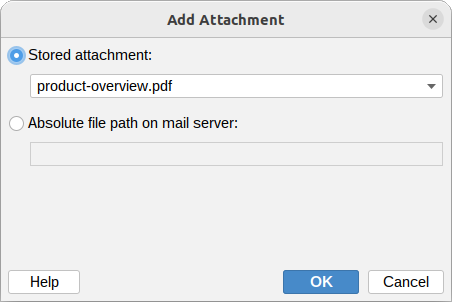
The Add attachment action attaches a file to the message when a policy rule matches. The file can be a stored attachment managed on the Attachments page, or a file read from the milter host.
Stored attachment
Select one of the attachments uploaded on the Attachments page. This is the recommended option: the file is uploaded once from your local machine and distributed to the mail server with the settings, so it does not have to be copied to the server manually.
The Rules Tester attaches the real stored attachment, so the tested message shows exactly what recipients will receive.
Absolute file path on mail server
The absolute path to the file to attach.
Example:
/opt/msh/attachments/disclaimer.pdf
The file must be located on the mail server and be readable by the msh user. If the path does not exist, or points to a directory, the attachment is skipped.
Variables can be used in the file path field, so the file can be chosen based on the message being processed.
Additional resources
- Attachments
- How to use Variables