Settings
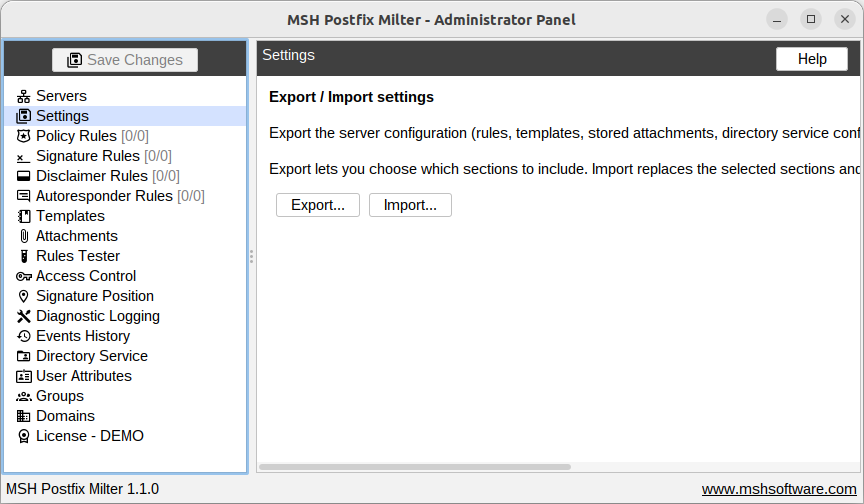
The Settings panel lets you export the server configuration to a single ZIP archive and import a previously exported archive. Use it to back up the configuration or to move it to another server.
Export
Click Export... and select the sections to include in the archive:
| Section | Contents |
|---|---|
| Policy rules | All policy rules with their groups |
| Signature rules | All signature rules |
| Disclaimer rules | All disclaimer rules |
| Autoresponder rules | All autoresponder rules |
| Templates | Signature and disclaimer templates, including their HTML and text content |
| Stored attachments | Files uploaded on the Attachments page |
| Signature positioning | The Signature position configuration |
| Directory service configuration | The Directory service connection configuration |
| Server configuration | SMTP host and port used for sending messages, and the Diagnostic logging configuration |
| Access control | Administrator accounts from the Access control page |
The Access control section contains credentials, so it is unchecked by default. Include it only when the archive is stored securely.
After confirming the selection, choose where to save the archive. The suggested file name is
msh-pm-settings-YYYYMMDD-HHmm.zip.
Import
Click Import... and choose a previously exported archive. The dialog shows the application version the archive was exported with, the export date, and the sections it contains. All the contained sections are selected by default - uncheck the ones you do not want to import.
Imported sections replace the current settings on the server. Sections not present in the archive, or left unchecked, stay unchanged.
Before the import is applied, a full backup of the current settings is automatically saved next to
the imported file as backup-before-import-YYYYMMDD-HHmm.zip. If anything goes wrong, import this
backup to restore the previous state.
The imported sections are applied and saved to the server immediately. Restart the administrator panel afterwards to refresh all views.
Archive format
The archive is a regular ZIP file containing:
manifest.xml- the application version, export date, and the list of exported sectionssettings.xml- the exported configurationtemplates/- template contentsattachments/- stored attachment files
An archive exported with a newer application version can still be imported; sections unknown to the current version are skipped.