Archive content
This condition looks inside archive attachments and matches on the files they hold. Use it to catch executables hidden in a ZIP, to block archives that hold nothing but scripts, or to act on archives that cannot be opened at all, such as password protected ones.
A message matches when at least one of its archive attachments matches. Attachments that are not archives are ignored - use the Attachment name and Attachment type conditions for those.
Supported archives
| Format | Recognised as |
|---|---|
| ZIP | ZIP |
| 7-Zip | 7z |
| RAR 4 and RAR 5 | RAR, RAR5 |
| TAR | TAR |
TAR compressed with gzip (.tar.gz, .tgz) | TAR.GZ |
A single file compressed with gzip (.gz) | GZIP |
An archive is recognised by the first bytes of its content, never by its file name or content
type, since both are chosen by the sender. A ZIP attached as invoice.pdf is still inspected as a
ZIP.
A part of the message counts as an attachment when it is marked as an attachment or inline, or when it has a file name.
Each attachment is read once per message, however many rules ask about it, and an attachment that is not an archive is left alone after its first bytes, so several rules with this condition cost no more than one.
Files
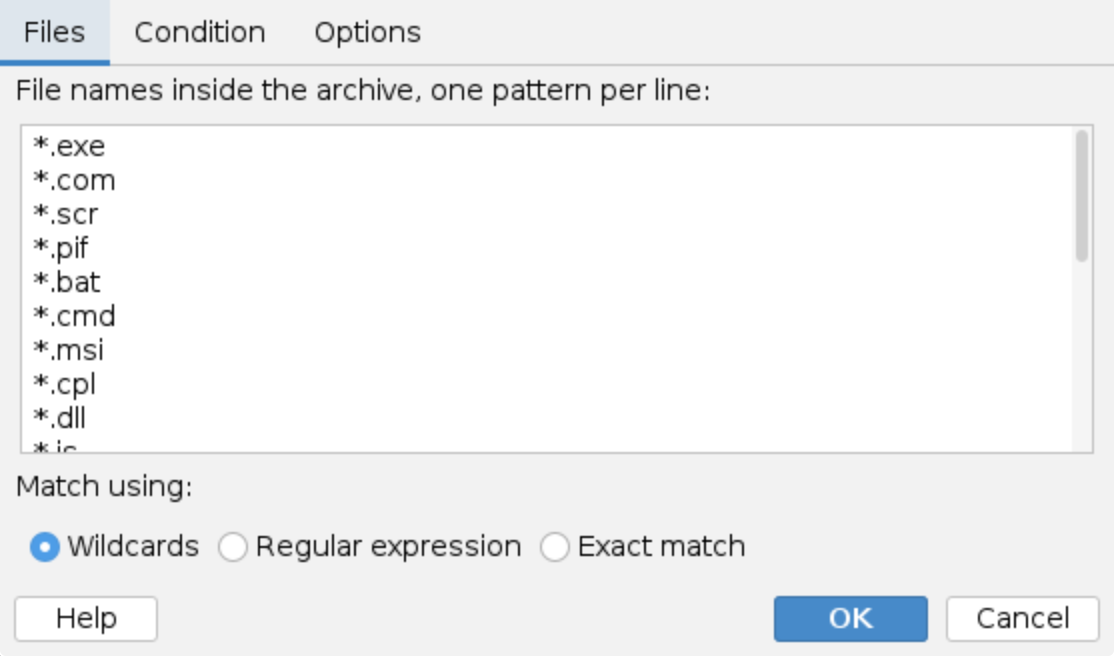
File names inside the archive: One pattern per line. A new condition starts with a list of file types Windows runs, or that open something that does, when double clicked:
*.exe, *.com, *.scr, *.pif, *.bat, *.cmd, *.msi, *.cpl, *.dll, *.js,
*.jse, *.vbs, *.vbe, *.wsf, *.wsh, *.hta, *.ps1, *.lnk, *.jar, *.iso,
*.img, *.vhd
Remove the ones you do not want, or replace the list with your own patterns.
Match using: How the patterns are compared with the file names:
- Wildcards -
*matches any text, for example*.exeorinvoice*.pdf. - Regular expression - for example
.*\.(exe|bat|cmd). - Exact match - the file name must equal the pattern.
The patterns are compared with the file name only, not with the folder it sits in inside the
archive, and case does not matter: *.exe also matches SETUP.EXE in tools/bin/.
Condition
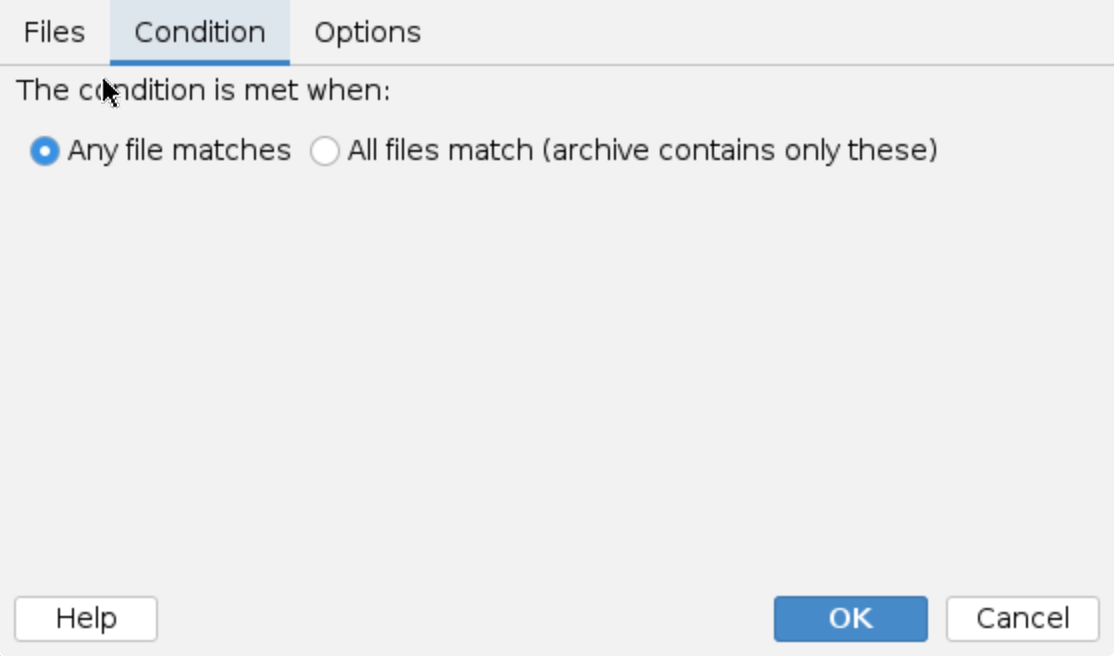
The condition is met when:
- Any file matches - at least one file in the archive matches one of the patterns. Use it to find archives that hold something dangerous.
- All files match (archive contains only these) - every file in the archive matches one of the patterns. Use it to find archives that hold nothing but, for example, executables, while archives that mix documents with an executable are left alone. An archive that holds no files does not match.
Options
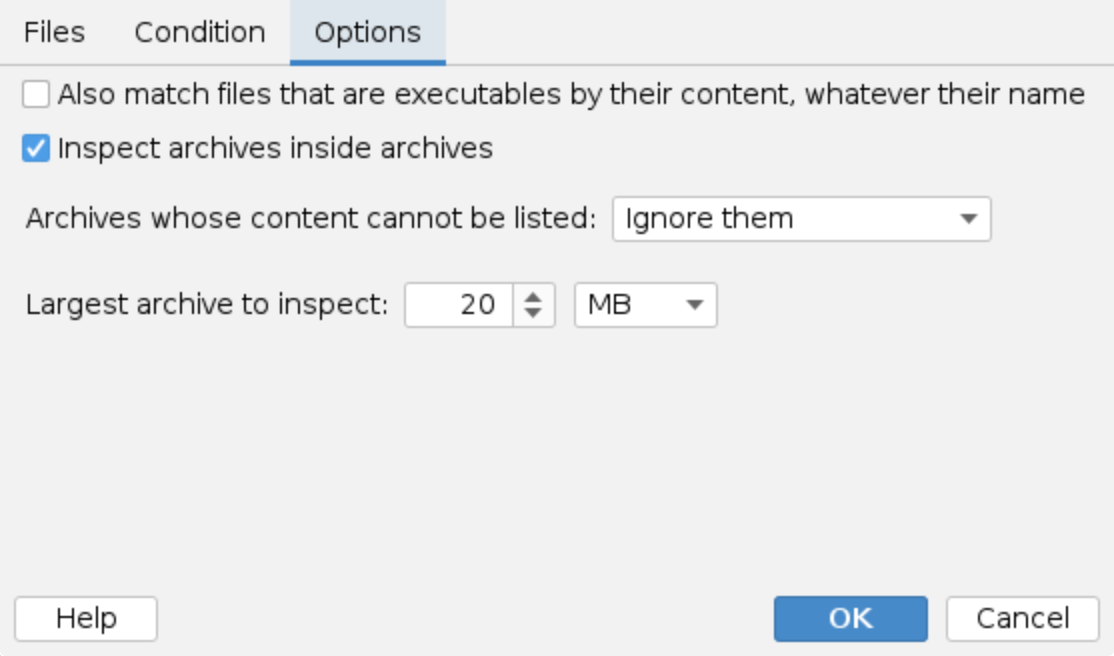
Also match files that are executables by their content, whatever their name: Also treats a file
as matching when its first bytes say it is a program, so a Windows program renamed to
statement.pdf is still caught. Windows, Linux and macOS executables and scripts starting with #!
are recognised. With this option on, the pattern list may be left empty to match executables by
content only.
Inspect archives inside archives: When on (the default), an archive found inside an archive is
opened as well, up to three levels deep, and its files are checked in place of the archive
itself. A ZIP that holds only a ZIP that holds only .exe files therefore counts as holding only
.exe files. When off, a nested archive is checked as an ordinary file by its own name.
Archives whose content cannot be listed:
- Ignore them (the default) - such an archive does not match.
- Treat them as a match - such an archive matches. Use it to block archives that cannot be checked.
An archive cannot be listed when it is corrupted, when its file names are encrypted (a 7z or RAR archive created with the file names encrypted), when it holds more than 10,000 entries, when a gzip file is larger than the size limit once decompressed, or when the archive and the archives inside it would decompress to more than ten times the size limit in all. The last limit is what keeps a crafted archive, a so-called zip bomb, from stalling the milter or exhausting its memory: one message has one budget of decompressed bytes, however deeply its archives are nested.
Largest archive to inspect: Archives larger than this are not opened and do not match, whatever the option above says. The default is 20 MB. The same limit applies to a nested archive and to the decompressed content of a gzip file.
To stop large archives from slipping through uninspected, add an Attachment size condition to the same rule, or a separate rule for them.
Password protected archives
- A ZIP or 7z archive with encrypted files, but readable file names, is listed normally, so the file name patterns work. Content detection and nested archives are not possible for the encrypted files.
- A 7z or RAR archive with encrypted file names cannot be listed, see Archives whose content cannot be listed.
- RAR archives are listed by file name only: content detection and nested archives do not apply to files inside a RAR.
Processing trace
The processing trace in the Events history says what the condition found, for example:
Archive 'documents.zip' (ZIP, 3 files): 'invoice.pdf.exe' matches '*.exe'
Archive 'scan.zip' (ZIP, 1 files): 'scan.pdf' is a Windows executable by its content
Archive 'secret.7z' (7z) cannot be listed: 7z archive with encrypted file names. Treated as a match.
Attachment 'backup.zip' is larger than 20 MB, archive content not inspected.
A file is shown with its path inside the archive, for example tools/bin/setup.exe, and a file
from a nested archive under the archive it came from, for example inner.zip/setup.exe.
Examples
- Block archives that hold an executable: keep the default patterns, Any file matches, and pair it with the Block message action.
- Catch renamed programs: also tick Also match files that are executables by their content.
- Block archives that cannot be checked or hold a program: remove all patterns, tick content detection (the condition needs at least a pattern or content detection), and set Archives whose content cannot be listed to Treat them as a match.
- Find archives with only scripts in them: patterns
*.js,*.vbs,*.ps1,*.bat, and All files match.
Additional resources
- Attachment name
- Attachment type
- Rules tester - attach a test archive to check the condition before enabling the rule
- For information about regular expressions you could check regular-expressions.info or regexone.com