Rules processing
The Rules Processing panel switches rule processing off and on without touching the rules. Use it when you need to stop the milter from changing mail for a while - during a migration, while investigating a problem, or while reworking a set of rules - and want to return to exactly the same setup afterwards.
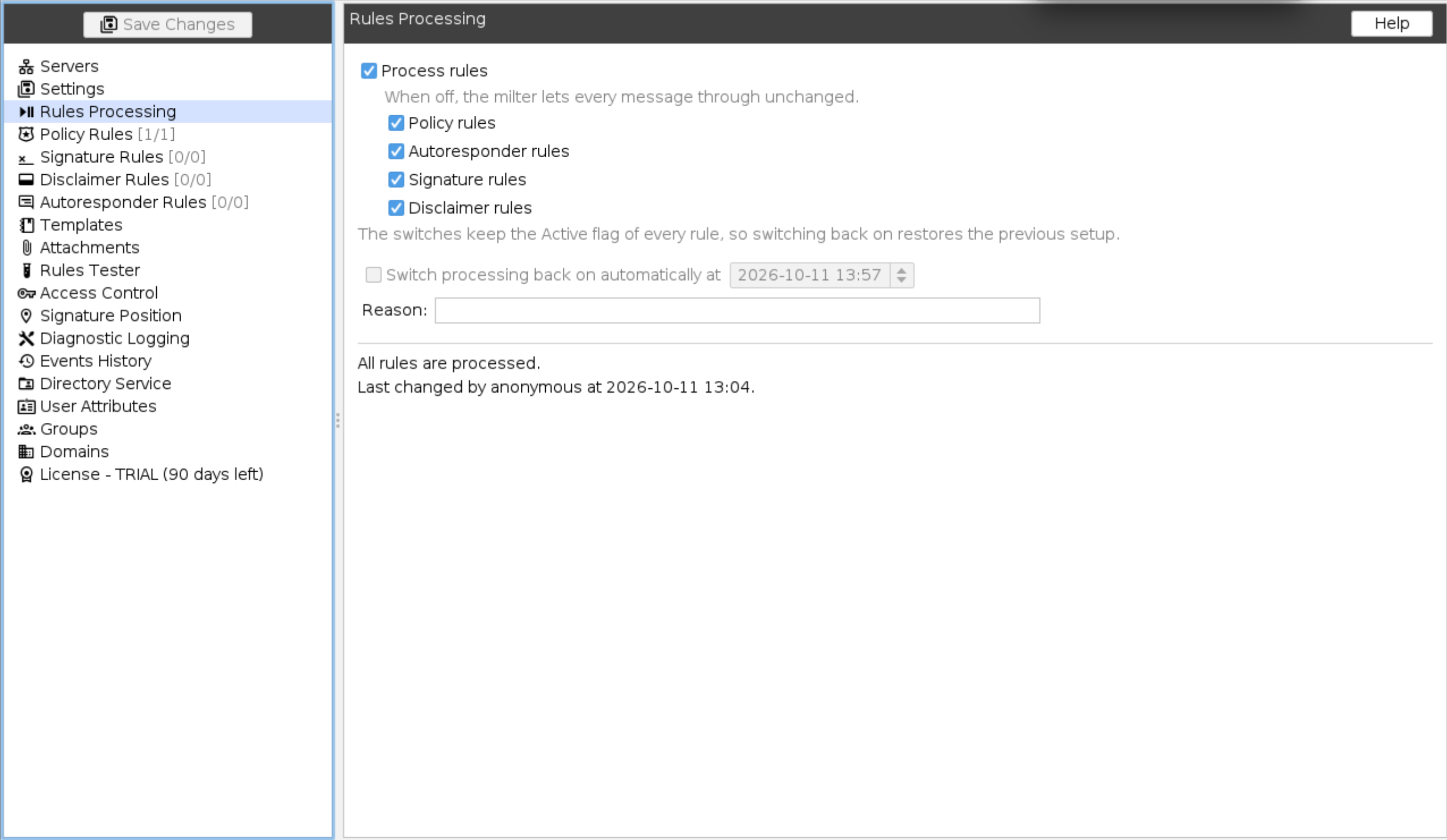
Switches
Process rules: The master switch. When it is off, the milter lets every message through unchanged: no policy, autoresponder, signature or disclaimer rule is applied.
Below the master switch there is one switch per rule type:
- Policy rules
- Autoresponder rules
- Signature rules
- Disclaimer rules
A rule type that is switched off is skipped on its own, while the other types are processed as usual. For example, switch off Signature rules to stop adding signatures while policy rules keep blocking and rewriting messages. The rule type switches are available only while Process rules is on.
The switches sit in front of the Active flag of every rule and do not change it. Rules that were active stay active, rules that were inactive stay inactive, so switching processing back on restores the previous setup exactly.
Switch back on automatically
Switch processing back on automatically at: Tick it and set a date and time to end the suspension by itself. Once that moment passes, every rule type is processed again - nobody has to open the administrator panel or save the settings. The time is checked for every message, so processing resumes with the first message after the configured moment.
The option is available only while something is switched off. Leave it unticked to keep processing suspended until someone switches it back on.
Reason: An optional note saying why processing was suspended, for example
Migrating the signature templates. It is shown to other administrators with the state, and the
milter writes it to the processing trace of every message it lets through.
Status
The bottom of the panel shows the current state, for example:
All rules are processed.Processing of signature rules, disclaimer rules is suspended. It switches back on at 2026-10-01 08:00.Rules processing is suspended - messages pass through unchanged. It stays suspended until it is switched back on.The suspension ended at 2026-10-01 08:00. All rules are processed.
Under it, the panel shows who made the last change and when, for example
Last changed by admin at 2026-09-29 14:30.. The name is the Access control
user the administrator panel is connected as. Without Access control the server accepts any login,
so the change is recorded as anonymous.
As on the other panels, the changes take effect once the settings are saved to the server.
Where the state is shown
While any rule type is suspended, the state is visible from anywhere in the administrator panel:
- The Rules Processing node in the tree changes its icon, and its tooltip lists what is suspended.
- The Policy rules, Signature rules, Disclaimer rules and Autoresponder rules
panels show a yellow bar on top, for example
Processing of signature rules is suspended - see the Rules Processing node., so an administrator editing rules is not surprised that nothing happens to the mail.
Processing trace and Rules tester
When processing is suspended, the processing trace in the Events history
says why nothing was applied. A message passed through with the master switch off is logged as
Skipping processing message: Rules processing is suspended., with the reason in brackets if one
was given, for example
Skipping processing message: Rules processing is suspended (Migrating the signature templates)..
A rule type that is switched off is logged as Rules processing suspended - skipping. in its own
section of the trace, while the other sections show the rules that ran.
The Rules tester gives the result the milter gives, with the switches applied,
including changes not saved yet. While processing is switched off a test message passes through
unchanged and its trace says Rules processing is suspended, with the reason if one was given.
While one rule type is switched off, for example autoresponder rules, those rules are skipped and
the others run. To check the rules before switching processing back on, tick the switches in this
panel, run the test messages, and untick them again without saving.
Export and import
The switches can be carried between servers in the Rules processing switches section of the Settings export and import. The section is unchecked by default on both sides, so importing an archive from a server that had processing switched off does not silently stop the rules on this one.