External script
This condition runs a script on the milter server for the message and matches on the script's exit code or its output. Use it for checks the built-in conditions cannot do: a virus scan, a lookup in your CRM or customer list, a spam score from another tool, or any rule of your own.
Scripts run only from the scripts directory of the installation, /opt/msh-pm-milter/scripts
by default, never from a path typed into a rule, so an account that can edit rules cannot run
arbitrary programs. See The scripts directory.
The scripts directory
SCRIPTS_DIR in lib/defaults.cf is scripts, so the milter runs scripts from
/opt/msh-pm-milter/scripts out of the box. The directory ships with two examples and a
README.txt:
accept.shalways exits with0,reject.shalways exits with1.
Both get the sender, the recipients and the subject of the message, print them and end the same
way whatever the message holds. They show a script running in the processing trace and are a
starting point for a script of your own, see Examples. An update of the server
module replaces accept.sh, reject.sh and the README; scripts under other names are kept.
To add a script of your own:
-
Copy it into
/opt/msh-pm-milter/scripts. -
Fix the permissions:
sudo /opt/msh-pm-milter/lib/fixperms.shfixperms.shmakes the directory and its scripts owned byrootand readable and executable by themshuser, which cannot change them. The milter checks a script each time it runs it, so no restart is needed.
To use another directory, set SCRIPTS_DIR in /opt/msh-pm-milter/etc/config.cf to an absolute
path, or to a path relative to the installation directory, and restart the milter. To disable
external scripts, set it empty:
SCRIPTS_DIR=
The condition then never runs anything and the processing trace says
External scripts are not enabled on this server.
SCRIPTS_MAX_CONCURRENT (default 5) caps how many scripts run at the same time. See
Internal configuration.
A script is refused, with the reason in the processing trace, when:
- it lies outside the scripts directory, also through
..or a symbolic link, - it is not a regular file or is not executable,
- its group or other users can write to it.
Script
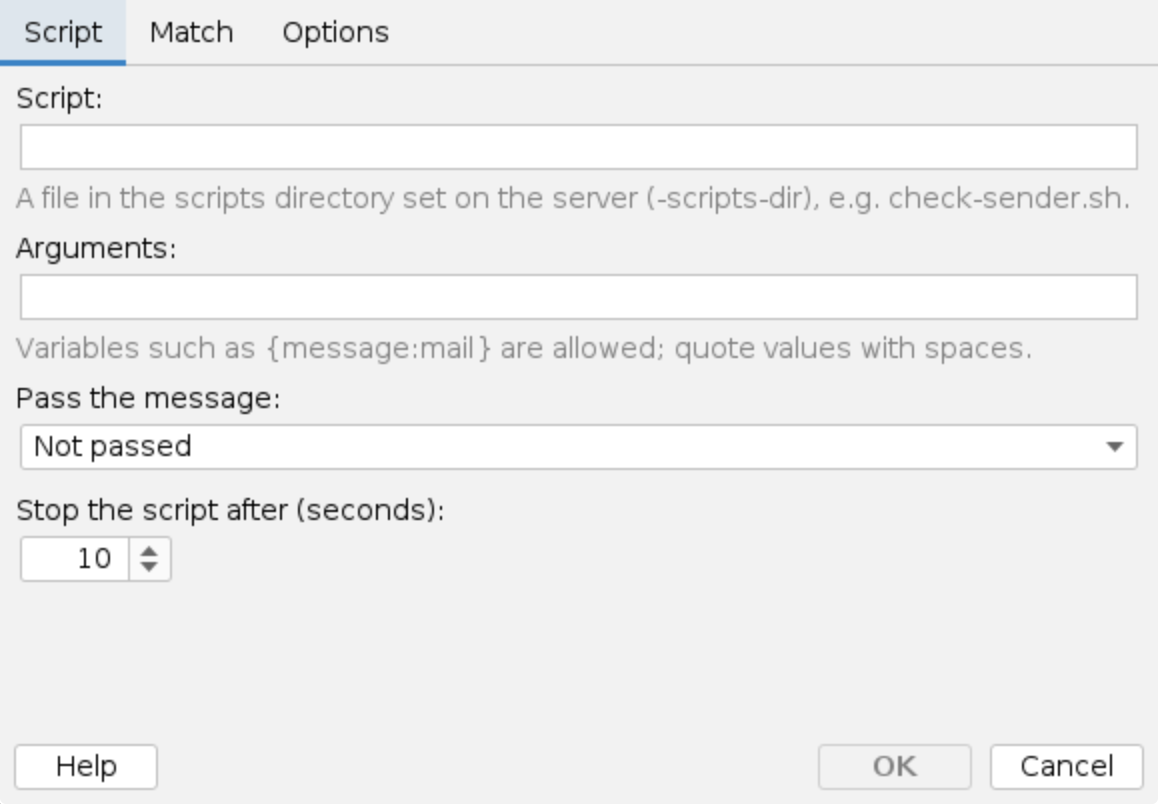
Script: The file to run, relative to the scripts directory, for example reject.sh. The
directory is the one SCRIPTS_DIR names, which the launcher passes to the milter as
-scripts-dir.
Arguments: Arguments passed to the script, separated by spaces. Variables such as
{message:subject} can be used, and each variable stays a single argument even when its value
contains spaces. Use double quotes to group text with spaces into one argument. {message_file}
is replaced with the path of a temporary file holding the message.
Example: --sender {message:envelope:sender} --file {message_file}
Pass the message:
- Not passed - the script gets only the arguments and the environment variables below.
- As a file (MSH_MESSAGE_FILE) - the message is written to a private temporary
.emlfile and its path is in theMSH_MESSAGE_FILEenvironment variable. - On standard input - the message is sent to the script's standard input.
The temporary file is readable only by the milter's user and is deleted when the script ends.
Stop the script after (seconds): The timeout, 10 seconds by default, at most 300. A script
still running then is killed, together with any process it started. Postfix waits at most 300
seconds for the milter (milter_content_timeout), so keep scripts well below that; the editor
warns above 60 seconds. A process the script leaves behind holding its output open does not
delay the message: a second after the script ended, the output received so far is used.
Environment variables
Every script gets these environment variables:
| Variable | Value |
|---|---|
MSH_SENDER | Envelope sender |
MSH_RECIPIENTS | All recipients, comma separated |
MSH_SUBJECT | Subject |
MSH_MESSAGE_ID | Message-ID header |
MSH_MESSAGE_SIZE | Size in bytes |
MSH_QUEUE_ID | Postfix queue id |
MSH_MESSAGE_FILE | Path of the message file, when the message is passed as a file or an argument uses {message_file} |
Apart from PATH and LANG, nothing of the milter's own environment is passed on. The script
runs in the scripts directory, without a shell around it, as the milter's user.
Values from the message are not to be trusted
The variables and every argument resolved from the message, such as a subject, an address or a header, are chosen by the sender. Control characters in them (NUL, CR, LF and the like) are replaced by spaces before the script starts, and an argument that resolves to nothing is passed as an empty string, so the arguments after it keep their positions. Still:
- Prefer the
MSH_*variables to arguments, and quote them in the shell:"$MSH_SUBJECT". - When a value has to be an argument, put
--before it, so a subject such as--config=/xis not read as an option:my-check.sh -- {message:subject}. - Never pass a value through a shell, such as
evalorsh -c "...". - A rule that blocks mail on the script's verdict should set When the script cannot run, fails or times out to Match, so a message the script could not check is not let through.
Match
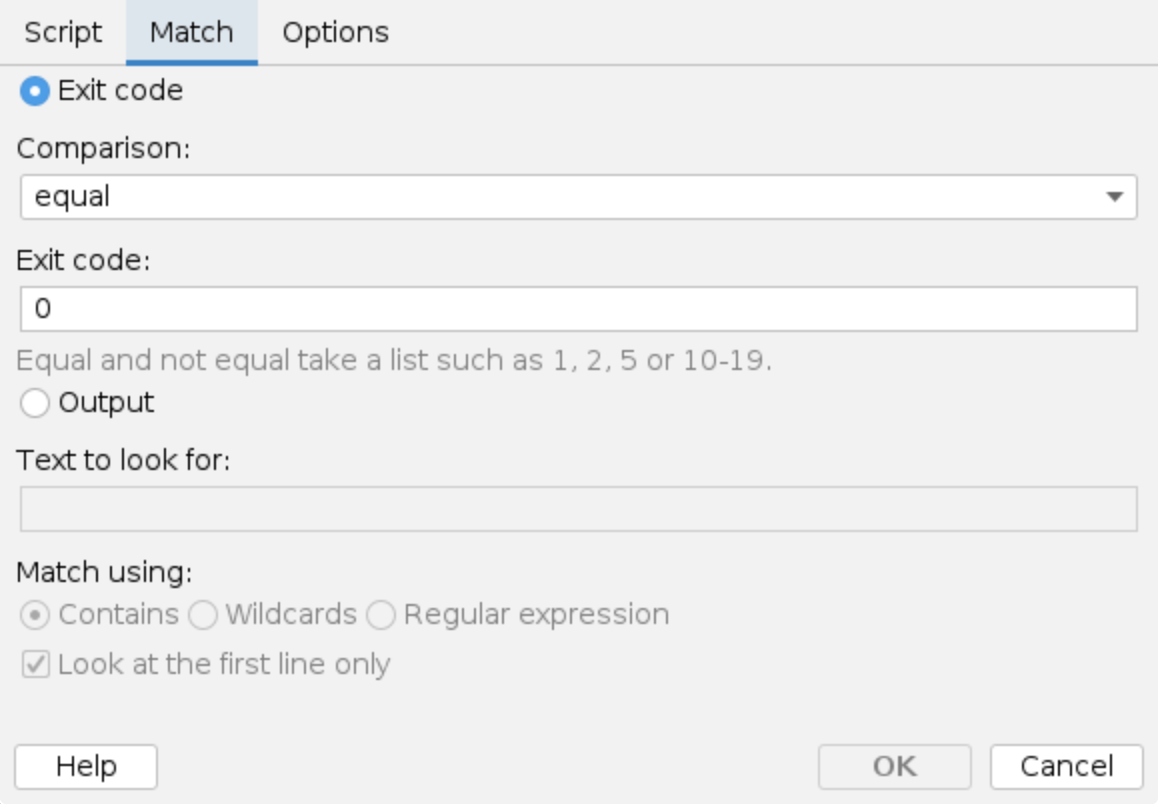
Choose what decides whether the condition matches:
Exit code: Compare the script's exit code using equal, not equal, greater than,
greater or equal, less than or less or equal. Equal and not equal take a list
of codes and ranges, for example 0, 1, 2, 5 or 10-19, 30. The default is equal 0.
Output: Look for text in what the script writes to standard output (up to 64 KB):
- Contains - the output contains the text.
- Wildcards - for example
SCORE: *. - Regular expression - for example
^score=[5-9].
Look at the first line only: On by default. Turn it off to search the whole output.
Options
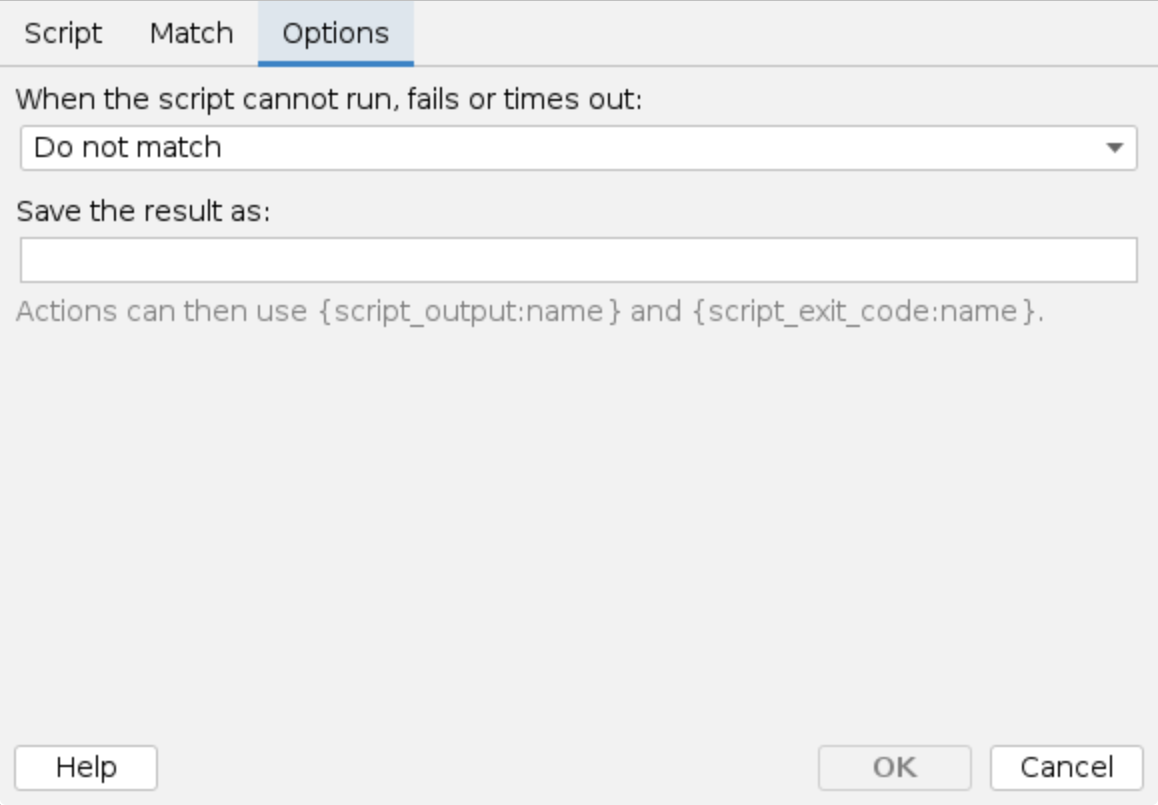
When the script cannot run, fails or times out:
- Do not match (the default) - the condition does not match.
- Match - the condition matches. Use it when a failed check should be treated as a positive one, for example to block mail while the virus scanner is down.
This covers scripts that are refused, cannot be started, are killed by the timeout, or wait too
long for a free slot under SCRIPTS_MAX_CONCURRENT - the wait counts towards the timeout. The
problem is written to the processing trace of the message and to the server log, once a minute
per script and problem.
Save the result as: A name for the result, for example spam. Actions of the same message can
then use it:
| Variable | Value |
|---|---|
{script_output:name} | The script's output, trimmed |
{script_exit_code:name} | The script's exit code |
Both are empty when the script did not run for the message, was refused, failed or timed out. The
name is not case sensitive. Example header value: Spam score {script_output:spam}.
A script with the same arguments and the same way of passing the message runs only once per message, however many conditions and rules use it; the others reuse its result.
Rules tester
The Rules tester runs on your own computer, not on the milter server, so it never runs scripts. External script conditions get the result set on the Scripts tab of the test message instead: a Simulated script exit code and a Simulated script output.
Processing trace
The processing trace in the Events history shows what ran and what it returned, for example:
Running script reject.sh.
The script finished with exit code 1 in 14 ms.
Output: reject: sender=alice@example.com recipients=bob@example.net subject=Invoice
Match.
The script was not run: 'scan.sh' can be changed by other users (group or world writable).
The script did not complete, it is treated as no match.
Not match.
The script timed out and was stopped after 10004 ms.
The script did not complete, it is treated as a match.
Match (on error).
What the script writes to standard error is shown as Error output:, after Output:.
Examples
The shipped examples (scripts/accept.sh and scripts/reject.sh): a policy rule with the
condition External script reject.sh, the arguments
-- {message:envelope:sender} {message:envelope:recipients} {message:subject}
and the match exit code equal 1, with the
Block message action, blocks every message and shows
in its trace what the script got. accept.sh is set up the same way with exit code equal 0.
The -- keeps a subject such as --config=/x from being read as an option, and the same values
arrive in MSH_SENDER, MSH_RECIPIENTS and MSH_SUBJECT, which the scripts use when the
arguments are left out:
#!/bin/sh
[ "$1" = "--" ] && shift
sender="${1:-$MSH_SENDER}"
recipients="${2:-$MSH_RECIPIENTS}"
subject="${3:-$MSH_SUBJECT}"

echo "reject: sender=$sender recipients=$recipients subject=$subject"
exit 1
Virus scan with ClamAV (clamav-scan.sh): pass the message as a file and match on exit code
equal 1, with the Block message action in a policy
rule. clamdscan exits 0 for a clean message, 1 when a virus was found and 2 on errors, so
a scanner error is not a match unless the condition says
When the script cannot run, fails or times out: Match.
#!/bin/sh
exec clamdscan --no-summary --fdpass "$MSH_MESSAGE_FILE"
Customers do not get the disclaimer (is-customer.sh): an exception of a disclaimer rule that
matches on exit code equal 0. The script looks up each recipient, or its @domain, in
customers.txt next to it.
#!/bin/sh
list="$(dirname "$0")/customers.txt"
[ -r "$list" ] || exit 2

# set -f: the unquoted list is split on commas only, never expanded against
# the files of this directory.
set -f
IFS=','
for recipient in $MSH_RECIPIENTS; do
  domain="@${recipient#*@}"
  if grep -qixF -e "$recipient" -e "$domain" "$list"; then
    echo "customer $recipient"
    exit 0
  fi
done
exit 1
Additional resources
- Internal configuration -
SCRIPTS_DIRandSCRIPTS_MAX_CONCURRENT - Variables
- Run executable - run a program as an action of a policy rule