Message type
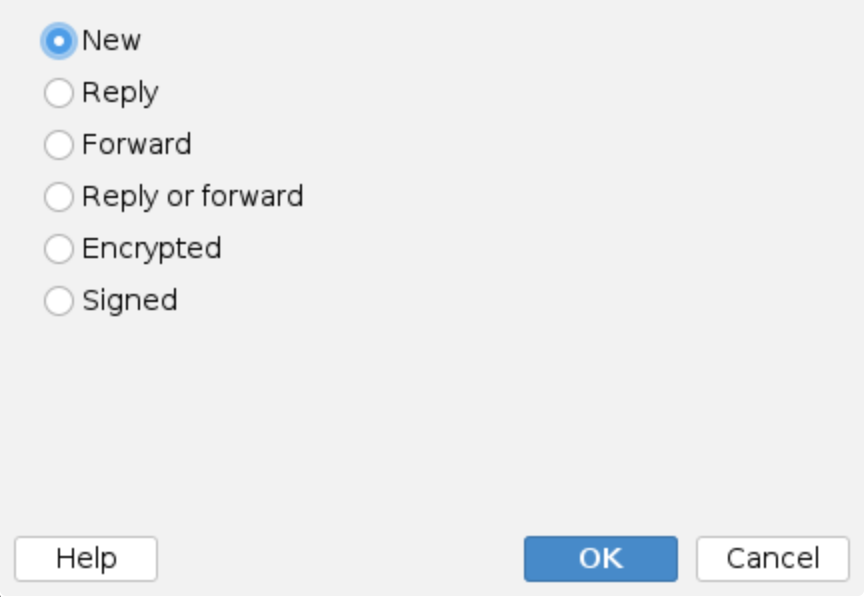
This condition lets you filter messages based on their type. You can choose from:
- New - Original messages that aren't replies or forwards
- Reply - Messages that are replies to previous emails
- Forward - Messages that have been forwarded
- Reply or Forward - Messages that are either replies or forwards
- Encrypted - Messages encrypted by the sender with S/MIME or OpenPGP
- Signed - Messages signed by the sender with S/MIME or OpenPGP
How it works
The application automatically detects the message type by checking:
- Reply messages - Subject line starts with
Re:and contains reply information in theIn-Reply-Tomessage header - Forward messages - Subject line starts with
Fw:orFwd:and contains forward information in theIn-Reply-Tomessage header - New messages - Everything else that isn't a reply or forward
This makes it easy to create rules that handle different types of messages separately. For example, you might want to process new customer inquiries differently than forwarded reports.
Encrypted and signed messages
Encrypted and Signed are independent of new, reply and forward: an encrypted reply is both a reply and encrypted. The application recognises them from the structure of the message itself:
- Encrypted - S/MIME encrypted messages (
application/pkcs7-mimewith enveloped data) and PGP/MIME encrypted messages (multipart/encrypted), and inline PGP messages whose text starts with-----BEGIN PGP MESSAGE----- - Signed - S/MIME signed messages, both clear-signed (
multipart/signed) and opaque signed (a singlesmime.p7mpart), PGP/MIME signed messages, and inline PGP messages whose text starts with-----BEGIN PGP SIGNED MESSAGE-----
Keep in mind:
- Mail clients sign first and encrypt afterwards, so a message that is both signed and encrypted looks encrypted only from the outside - the signature is inside the encrypted content. It matches Encrypted, not Signed. A message encrypted first and signed afterwards matches both.
- A DKIM-Signature or ARC header does not make a message signed. Those are signatures of the sending domain, added by mail servers such as Gmail or Outlook.com, not by the sender.
- A message is not signed or encrypted just because it carries a signed or encrypted attachment,
such as a
.p7mfile or a forwarded signed message. - A signed or encrypted message to which a mailing list or a gateway appended a footer part
still counts: the application also looks at the first part of a top-level
multipart/mixed. - An inline PGP armor line can be typed by anyone, so it counts for this condition and for the signature and disclaimer rules, which would break a real inline signature, but not for the actions that add, remove, strip or compress attachments. Those leave a message alone only when a signed or encrypted container holds it, and say so in the trace with a hint to pair the rule with a Message type rule that blocks, quarantines or notifies.
The processing trace shows what the message was recognised as, for example
Message is: 'Reply, Encrypted'.
Use Encrypted or Signed as an exception to keep other rules away from protected messages, or as a condition to act on them, for example to add a note to the subject or to route them elsewhere. Signature and disclaimer rules already leave signed and encrypted messages alone, since adding text to them would break the signature or could not be done at all.