Auto reply
Subject
Define the autoreply subject format.
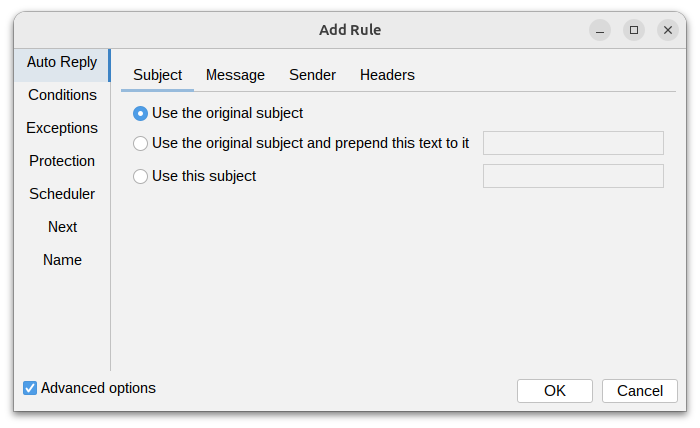
There are three available options:
- Use the original subject - the subject of the autoreply will be the same as the original message.
- Use the original subject and prepend this text to it - the subject of the autoreply will be the same as the original message with the specified text prepended to it (e.g., "[AUTOREPLY]: ").
- Use this subject - the subject of the autoreply will be set to the specified text.
Message
Define the content of the autoreply message.
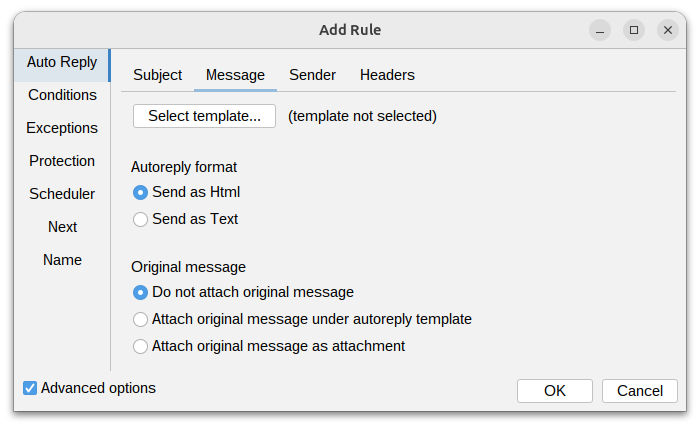
Autoreply message format can be defined using text or HTML format (created as template).
You can specify what to do with the original message. Three options are available:
- Do not include original message - the original message will not be included in the autoreply.
- Include original message under autoreply template - the original message will be included in
the autoreply under template.
-
Add reply separator - when enabled (the default), a mail-client style attribution line is placed between the template and the quoted original message, showing when and by whom the original was sent:
On Tue, Jul 14, 2026 at 1:48 PM Sender <sender@example.com> wrote:This option is available only when Include original message under autoreply template is selected.
-
- Include original message as attachment - the original message will be included in the autoreply as attachment.
Sender
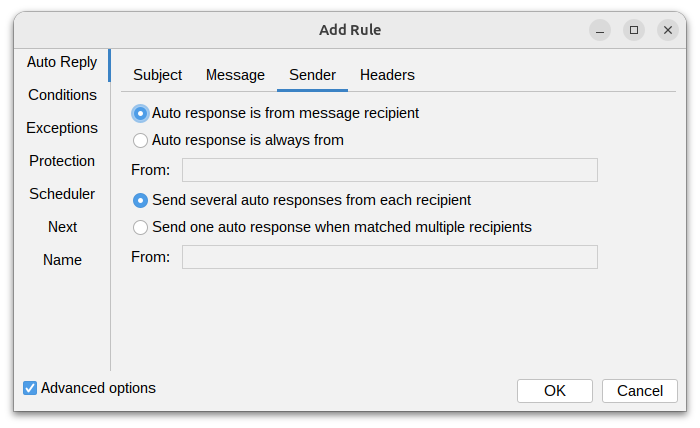
There are several available options to define the sender of the autoreply message:
- Auto response is from message recipient - the sender of the autoreply will be the recipient of the original message.
- Auto response is always from - the sender of the autoreply will be the specified email address.
- Send several auto responses from each recipient - if original message is addressed to multiple recipients, then autoreply will be sent from each recipient separately.
- Send one auto response from matched multiple recipients - if original message is addressed to multiple recipients, then only one autoreply will be sent from specified email address.
Attachments
Files to attach to the autoreply message. Each entry is either a stored attachment managed on the Attachments page, or an absolute path to a file on the milter host.
- Stored attachment - the recommended option: the file is uploaded once from your local machine on the Attachments page and distributed to the mail server with the settings.
- Absolute file path on mail server - the file is read from the milter host at send time. Variables can be used in the path.
A stored attachment that no longer exists, or a file path that does not exist at send time, is skipped. These attachments are independent of the Include original message as attachment option - both can be used at the same time.
Headers
You can define additional email headers to be included in the autoreply message.
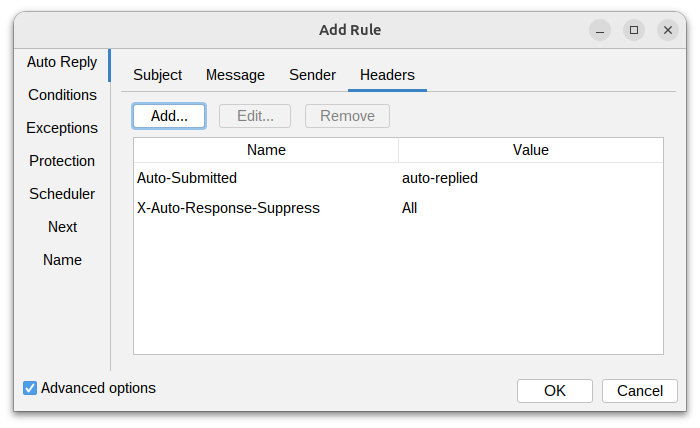
By default, the following headers are added to the autoreply message:
- Auto-Submitted: auto-replied - indicates that the message is an automatic reply.
- X-Auto-Response-Suppress: All - prevents auto-replies from being sent in response to this message.