Executable and script attachments are a classic malware vector, so blocking risky file types is a basic mail-server control. Postfix offers a limited tool for this -mime_header_checks - but it is regex-based, rejects the whole message, and is easy to get subtly wrong. This page shows the native method and its limits, then how MSH Postfix Milter blocks or strips attachments with clear policy rules.
The native way: mime_header_checks
Postfix can inspect MIME headers and reject messages whose attachment names match a pattern. Enable it in main.cf:
mime_header_checks = regexp:/etc/postfix/mime_header_checks
Then add the patterns to reject dangerous extensions:
/name=[^>]*\.(bat|com|exe|dll|vbs|js|jar|scr|pif)/
    REJECT For security reasons, this attachment type is not accepted.
This stops the obvious cases, but it has real shortcomings:
- Reject only. It bounces the whole message - you cannot strip the bad file and deliver the rest.
- Filename matching only. It keys off the declared name, so a renamed or disguised file can slip through, and rule ordering bugs can block legitimate mail (for example DMARC reports).
- No size logic. Blocking oversized attachments is a separate mechanism.
- Regex maintenance. The rules are cryptic and easy to break.
- Coarse scope. Applying different policy to inbound vs outbound, or per department, is awkward.
Policy rules with MSH Postfix Milter
MSH Postfix Milter handles attachments with policy rules. You match attachments by name, type, or size, and choose whether to block the message or strip the attachment and deliver the rest - all from a readable rule editor, no regex required.
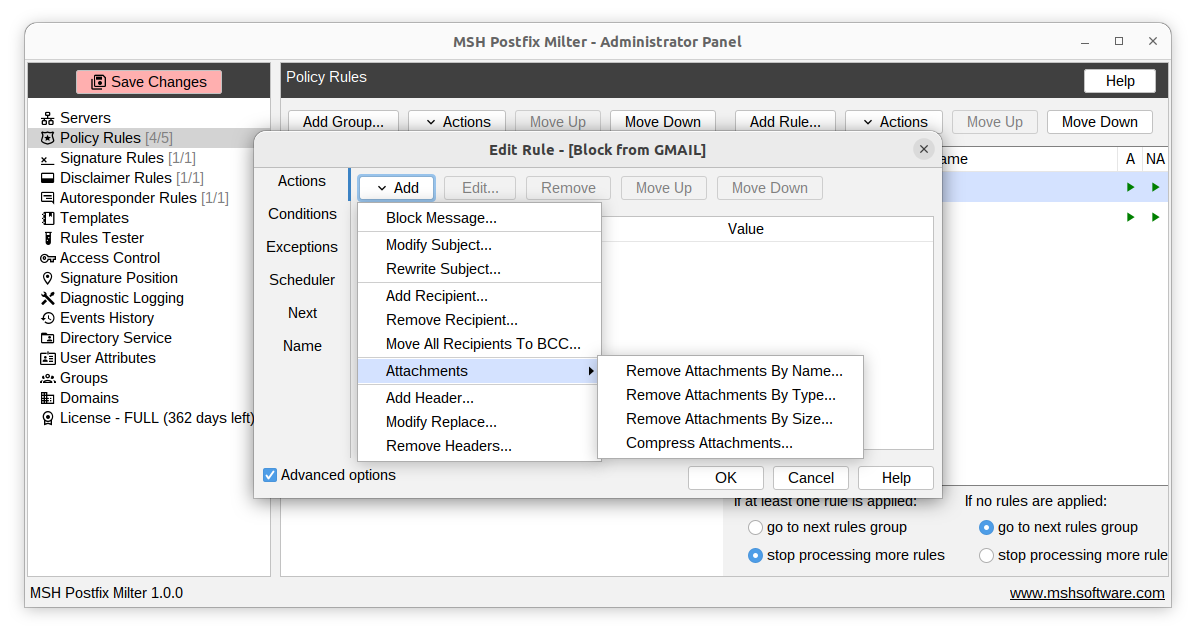
Set it up in four steps
- Install the milter and connect it to Postfix with
smtpd_milters. - Create a policy rule with an attachment condition for name, type, or size.
- Choose the action - block the whole message, or strip just the matching attachment and deliver the rest.
- Test and enable with the built-in rules tester.
Because rules can be scoped by direction and sender or recipient, you can quarantine dangerous inbound files while applying different limits to outbound mail.
Frequently asked questions
How do I block attachments by file extension in Postfix?
Postfix can reject some attachments with mime_header_checks regular expressions, but the rules are brittle and only reject the whole message. MSH Postfix Milter blocks attachments by name, type, or size with readable policy rules and can strip the attachment instead of rejecting the message.
Can I block attachments only on incoming or only on outgoing mail?
Yes. Policy rules can be scoped by message direction and by sender or recipient, so you can block dangerous inbound attachments and control what leaves your organisation separately.
Does it catch disguised file types?
MSH Postfix Milter can match attachments by detected type and by size as well as by name, so it catches more than a simple filename extension match in mime_header_checks.