Welcome to MSH Postfix Milter
The application automatically appends user signatures to both text and html emails, ensuring consistent branding across all messages. It can add disclaimers to outgoing messages based on your organization's compliance requirements, sends automated replies when certain conditions are met, helping you maintain communication even when unavailable. Additionally, it manages policy rules that intelligently filter messages based on multiple criteria, giving you complete control over your email flow.
How the application works
The application integrates seamlessly with Postfix using the standardized milter protocol. This protocol enables applications running outside the Mail Transfer Agent (MTA) to inspect SMTP events such as CONNECT and DISCONNECT, process SMTP commands including HELO and MAIL FROM, and analyze mail content covering both headers and body. All inspection and processing occurs before the message enters the mail queue, ensuring real-time email handling.
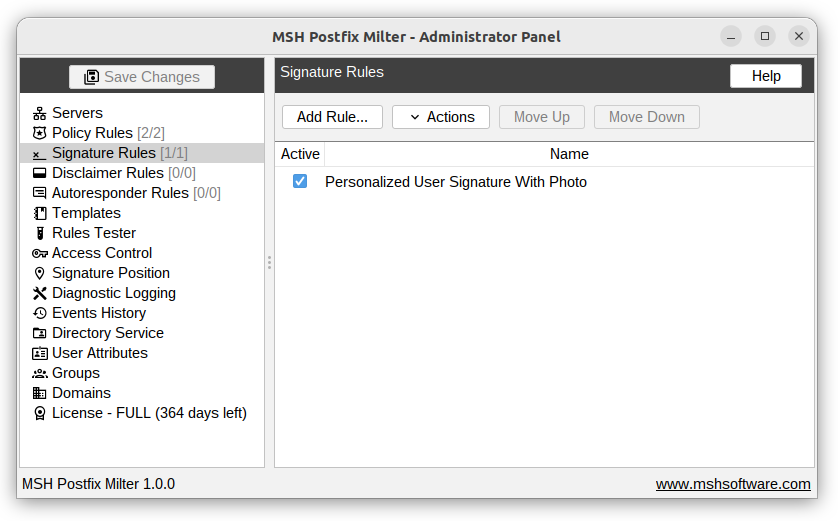
The architecture consists of two main components working together. The core component, msh-pm-milter, communicates directly with Postfix and handles all mail processing operations. The second component is the Administrator Panel, which serves as your central management console where you can configure all settings and define processing rules.
Features
-
Email Signatures - Automatically append personalized, HTML-rich signatures to outgoing emails, with flexible positioning (under reply text or at a fixed marker).
-
Legal Disclaimers - Append compliance text to messages with configurable placement (top or bottom), duplicate detection, and sensitivity tuning.
-
Autoresponder - Send automated replies when conditions are met, with rate limiting, duplicate prevention, and control over subject, sender, and whether the original message is included.
-
Policy Rules - A powerful rule engine that inspects and manipulates email flow before messages enter the queue; rules can be organized into named groups.
-
Message Blocking - Discard, reject, or tempfail messages with custom SMTP response codes and enhanced status codes.
-
Subject Rewriting - Prepend, append, replace, or regex-rewrite the subject line of matching messages.
-
Recipient Management - Add recipients (To, Cc, or Bcc), remove specific recipients, or move all recipients to Bcc in a single action.
-
Attachment Filtering - Remove attachments by name, MIME type, or size using exact match, wildcards, or regular expressions.
-
Attachment Compression - Compress attachments inline, with options to skip files by name or type.
-
Header Management - Add, modify, or remove message headers with support for advanced dynamic variables.
-
Template System - Create and reuse HTML/text templates for signatures and disclaimers, with a visual designer, raw HTML editing, live preview, and user-attribute substitution.
-
User Attributes - Insert per-user data (name, title, phone, etc.) as placeholders into templates, resolved at send time.
-
Advanced Variables - Use dynamic variables in rule actions (folder paths, header values) referencing message metadata.
-
Rule Conditions & Exceptions - All rule types share a rich condition set: message direction, type (new/reply/forward), sender, recipient, headers, subject/body content, attachment properties, message size, recipient count, and rate-based message counting.
-
Rule Scheduling - Activate any rule only during specified time windows, enabling time-based email policies.
-
Domain Management - Define the domains your server handles so messages are automatically classified as incoming, outgoing, or internal.