Message subject or body contains
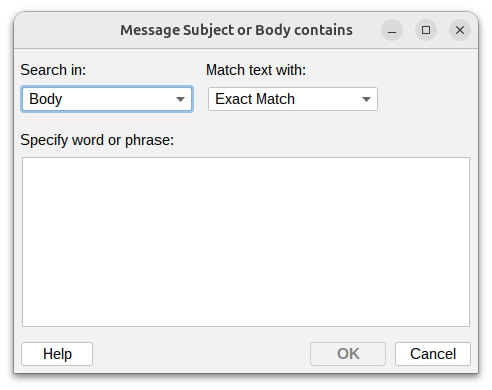
This condition lets you filter messages based on specific words or phrases in the subject line or message body. This is useful for identifying topics, keywords, urgent requests, or specific content.
Search in

Choose where to look for the text:
- Subject – Search only in the subject line
- Body – Search only in the message body
- Subject and body – Search in both locations
Match text with

Choose how to match your text:
- Exact match – The text must appear exactly as specified (case-insensitive)
- Wildcards – Use
*to match patterns (e.g.,invoice*2024matchesinvoice-2024,invoices 2024, etc.) - Regular expression – Use advanced pattern matching for complex rules
Specify word or phrase
Enter the text you want to search for.
Additional resources
- For information about regular expressions you could check regular-expressions.info or regexone.com