Conditions & Exceptions
Both conditions and exceptions use the same set of rules. Exceptions are simply the logical opposite of conditions.
- When an exception is met, the action will not be performed on the message.
- When a condition is met, the action will be performed on the message.
The application first checks for exceptions. If no exceptions are met, it then evaluates the conditions. If the conditions are met, the action is executed on the message.
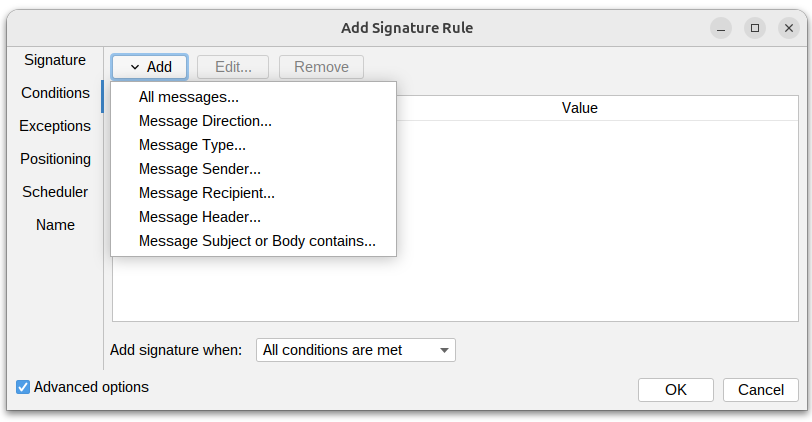
All messages
Matches all messages.
See All messages condition.
Message direction
Matches messages by its direction: incoming, outgoing, or internal.
See Message direction condition.
Message type
Matches the type of message: new, reply, forward.
See Message type condition.
Message sender
Matches the sender by: email address, user, group or domain.
See Message sender condition.
Message recipient
Matches the recipient by: email address, user, group or domain.
See Message recipient condition.
Message header
Matches text in message headers.
See Message header condition.
Message subject or body contains
Matches when the subject or body has specific text.
See Message subject or body contains condition.