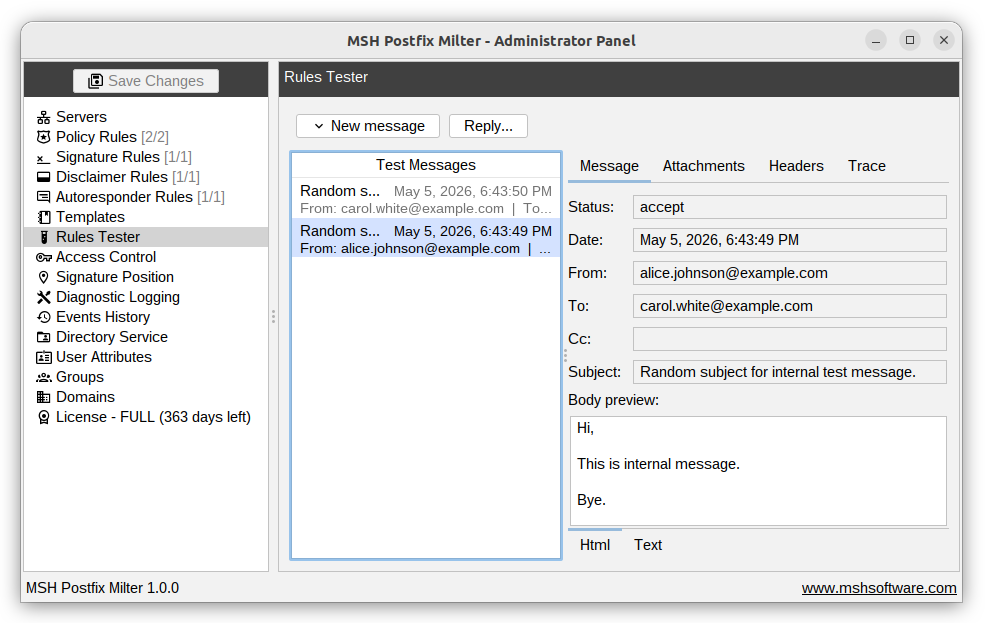
Rules tester
The Rules Tester lets you simulate the mail flow and verify how your configured rules behave - without sending any real emails. Provide a sample message with a sender, recipients, subject, and other attributes, and the application will process it through your rules exactly as it would during live operation. The results show which rules matched, which conditions were evaluated, and what actions would be applied.
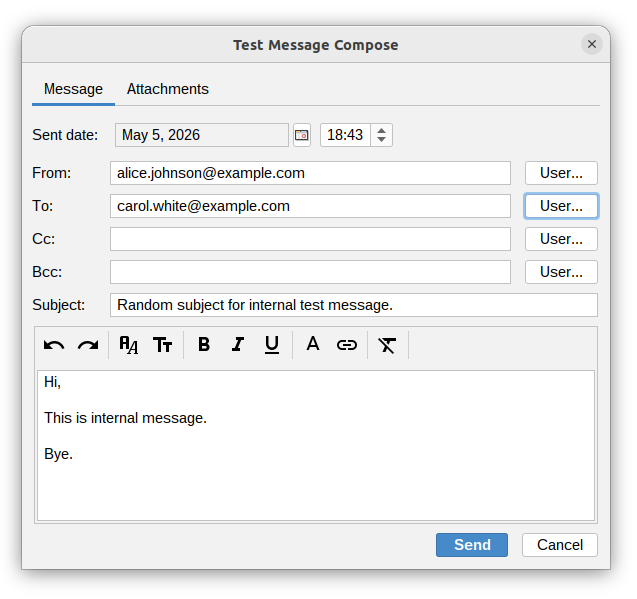
Test message compose
To compose a test message, fill in the following fields:
- Sent date - the date and time the message is considered to be sent.
- From - the sender's email address. Use the User... button to pick from existing users.
- To, Cc, Bcc - recipient email addresses. Multiple recipients can be added. Use the User... button to select from existing users.
- Subject - the message subject.
- Body - the message body, with basic formatting options available.
The Attachments tab lets you attach files to the test message, which is useful for testing attachment-related conditions and actions.
Once the message is ready, click Send to run it through the rules engine and see the results.