Message recipients count
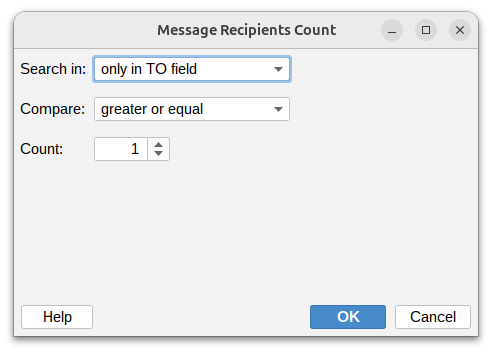
This condition lets you filter messages based on how many recipients they have. This is useful for identifying mass emails, personal messages, or messages with specific distribution sizes.
Search in
Choose which fields to count recipients from:
- To – Count only recipients in the To field
- Cc – Count only recipients in the Cc field
- Bcc – Count only recipients in the Bcc field
- Or any combination of these fields
Compare
Set how to compare the recipient count:
- Equal – Exactly matches the number you specify
- Not equal – Any count except the number you specify
- Greater than – More recipients than the specified number
- Greater or equal – At least the specified number of recipients
- Less than – Fewer recipients than the specified number
- Less or equal – No more than the specified number of recipients
Count
Number of recipients to compare against.