Message counting based on sender
note
Available only as a condition.
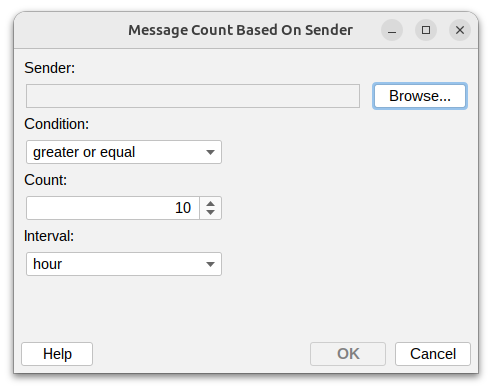
This condition lets you monitor and control how many messages a sender can send within a specific time period. This is useful for implementing sending quotas, detecting spam patterns, or identifying unusual activity.
Sender
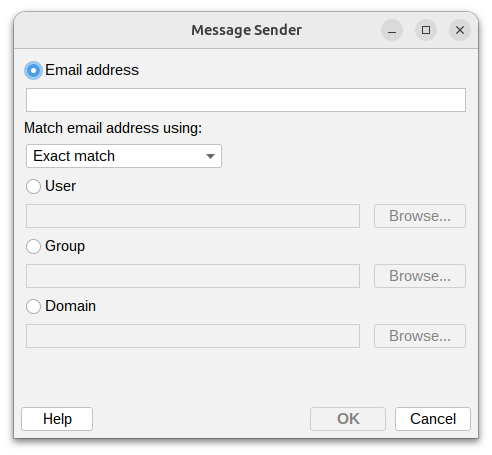
Read more about Sender field.
Condition

Set how to compare the message count:
- Greater or equal – At least the specified number of messages
- Greater than – More messages than the specified count
- Less or equal – No more than the specified number of messages
- Less than – Fewer messages than the specified count
- Equal – Exactly matches the count you specify
- Not equal – Any count except the one you specify
Count
Enter the number of messages to use as the threshold.
Time interval

Choose the time period to count messages within:
- Minute – Messages per minute
- Hour – Messages per hour
- Day – Messages per day (24 hours)
- Week – Messages per week (7 days)
- Month – Messages per month (30 days)