Remove attachments by type
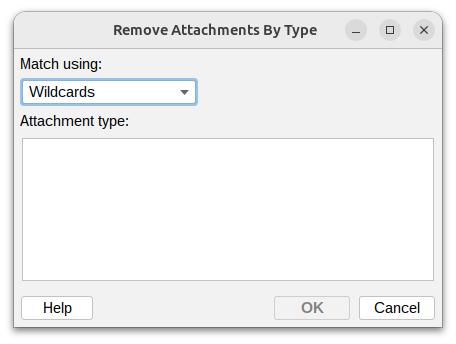
This action lets you remove attachments from an email based on their content type.
Match using

Choose how to match the content type:
- Exact match – The content type must match exactly
- Wildcards – Use
*to match patterns (e.g.,text/*matches any text format) - Regular expression – Use advanced pattern matching for complex rules
Attachment type
Enter the content type or pattern you want to remove.
Common content types
- application/pdf – PDF documents
- application/msword – Microsoft Word documents (.doc)
- application/vnd.openxmlformats-officedocument.wordprocessingml.document – Microsoft Word (.docx)
- application/vnd.ms-excel – Microsoft Excel (.xls)
- application/vnd.openxmlformats-officedocument.spreadsheetml.sheet – Microsoft Excel (.xlsx)
- application/zip – ZIP archives
- application/x-rar-compressed – RAR archives
- image/jpeg – JPEG images
- image/png – PNG images
- image/gif – GIF images
- audio/mpeg – MP3 audio files
- video/mp4 – MP4 video files
Additional resources
- For information about regular expressions you could check regular-expressions.info or regexone.com