Diagnostic logging
The Diagnostic Logging panel lets you configure how the application captures and stores message processing logs. Use it to troubleshoot issues by tracing how individual messages flow through the system.
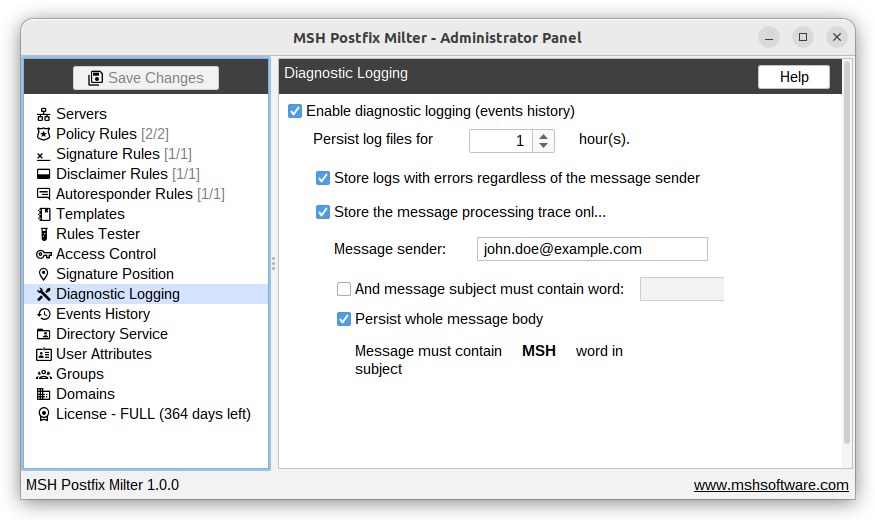
Enable diagnostic logging: When enabled, the application captures and displays an events history of message processing.
Retention period: Persist generated log files for the specified number of hours; log files older than the configured retention period are removed automatically.
Store error logs regardless of sender: Always save logs for messages that result in errors, even if the message sender is not included in other filters.
Sender-only trace: Record full message processing traces only for the specified message sender (enter the sender email address to apply this filter).
Subject filter: Apply an additional condition so traces are stored only when the message subject contains the specified keyword.
Persist message body: Save the full message body for messages that match the configured sender/subject filters. Message subject must contain MSH word.
Additional resources
- Check Events History