Connect to server module
List of connected server modules.
Before you can connect and create rules, you need to install at least one server module, read more about how to Install server module.
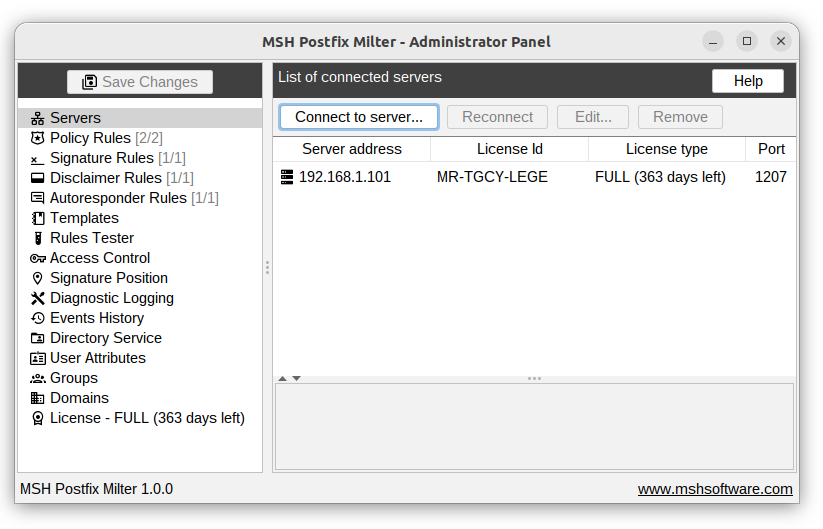
Connect to server module
Window with the server module connection details.
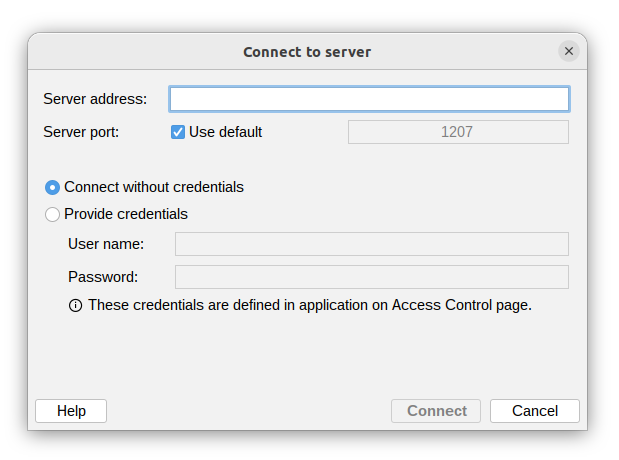
Server address
Hostname or IP address of the mail server where the server module is installed.
Server port
Server port on which the server module is listening for connections.
By default, it's 1207.
The default port can be changed, for more information see Ports configuration.
Credentials
- Anonymous connection - allows connecting to a server module without providing any credentials.
- Provide credentials - when selected, you need to provide a username and password.
These credentials are defined in the application on the Access Control page.
Reconnect
Reconnect to the server module without having to remove and re-add the connection.
Use this option when you need to refresh the connection or reload the server settings.
Edit
Edit connection details.
Remove
Remove the server module connection entry.
Additional resources
- Ports configuration - read how you can change connection ports
- Reset credentials - if you forget your username or password