Message type
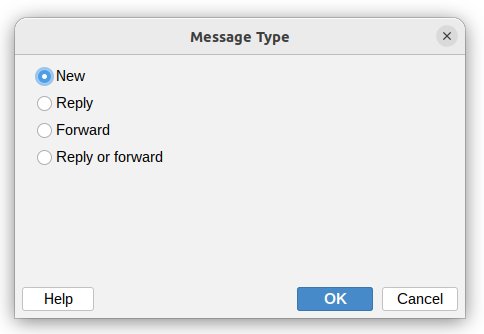
This condition lets you filter messages based on their type. You can choose from:
- New – Original messages that aren't replies or forwards
- Reply – Messages that are replies to previous emails
- Forward – Messages that have been forwarded
- Reply or Forward – Messages that are either replies or forwards
How it works
The application automatically detects the message type by checking:
- Reply messages – Subject line starts with
Re:and contains reply information in theIn-Reply-Tomessage header - Forward messages – Subject line starts with
Fw:orFwd:and contains forward information in theIn-Reply-Tomessage header - New messages – Everything else that isn't a reply or forward
This makes it easy to create rules that handle different types of messages separately. For example, you might want to process new customer inquiries differently than forwarded reports.