Message header
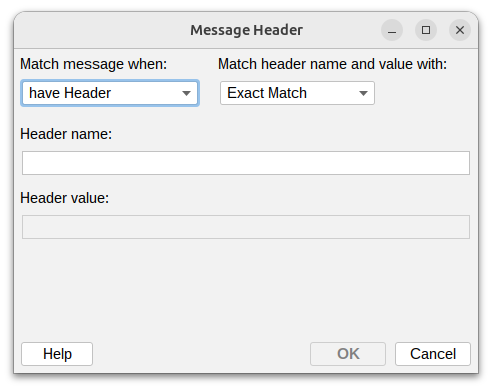
This condition lets you filter messages based on their email headers. Email headers contain technical information about the message, like routing details, priority, content type, and custom fields.
Match message when

- Have header – Match if the specified header exists (regardless of its value)
- Not have header – Match if the specified header doesn't exist
- Have header with value – Match if the header exists and contains a specific value
- Have header without value – Match if the header exists but is empty
Match header name and value with

You can match both header names and values using:
- Exact match – Must match exactly as specified (e.g.,
X-Priority: 1) - Wildcards – Use
*to match patterns (e.g.,X-Custom-*matches any custom header starting with that prefix) - Regular expression – Use advanced pattern matching for complex rules
Header name
Enter the name of the email header you want to check.
Common headers you might use:
- Subject – Message subject line
- From – Sender address
- To – Primary recipient(s)
- Cc – Carbon copy recipient(s)
- Date – When the message was sent
- X-Priority – Message priority (1=high, 3=normal, 5=low)
- X-Mailer – Email client used to send the message
- X-Spam-Status – Spam detection result
- Auto-Submitted – Indicates automatic replies
- Content-Type – Message format and encoding
You can also use custom headers specific to your mail server or organization (usually starting with "X-").
Header value
Enter the value you want to match in the header.
note
Email headers are case-insensitive. Content-Type and content-type are treated the same way.
Additional resources
- For information about regular expressions you could check regular-expressions.info or regexone.com